Manage Every Project Stage with Elevator Project Management Software.
Plan, schedule, and monitor every elevator installation and modernization phase from a single dashboard. ElevatorPlus gives you real-time milestone tracking, GANTT chart visibility, automatic delay alerts, and professional handover documentation - so you deliver every project on time.
Experience Now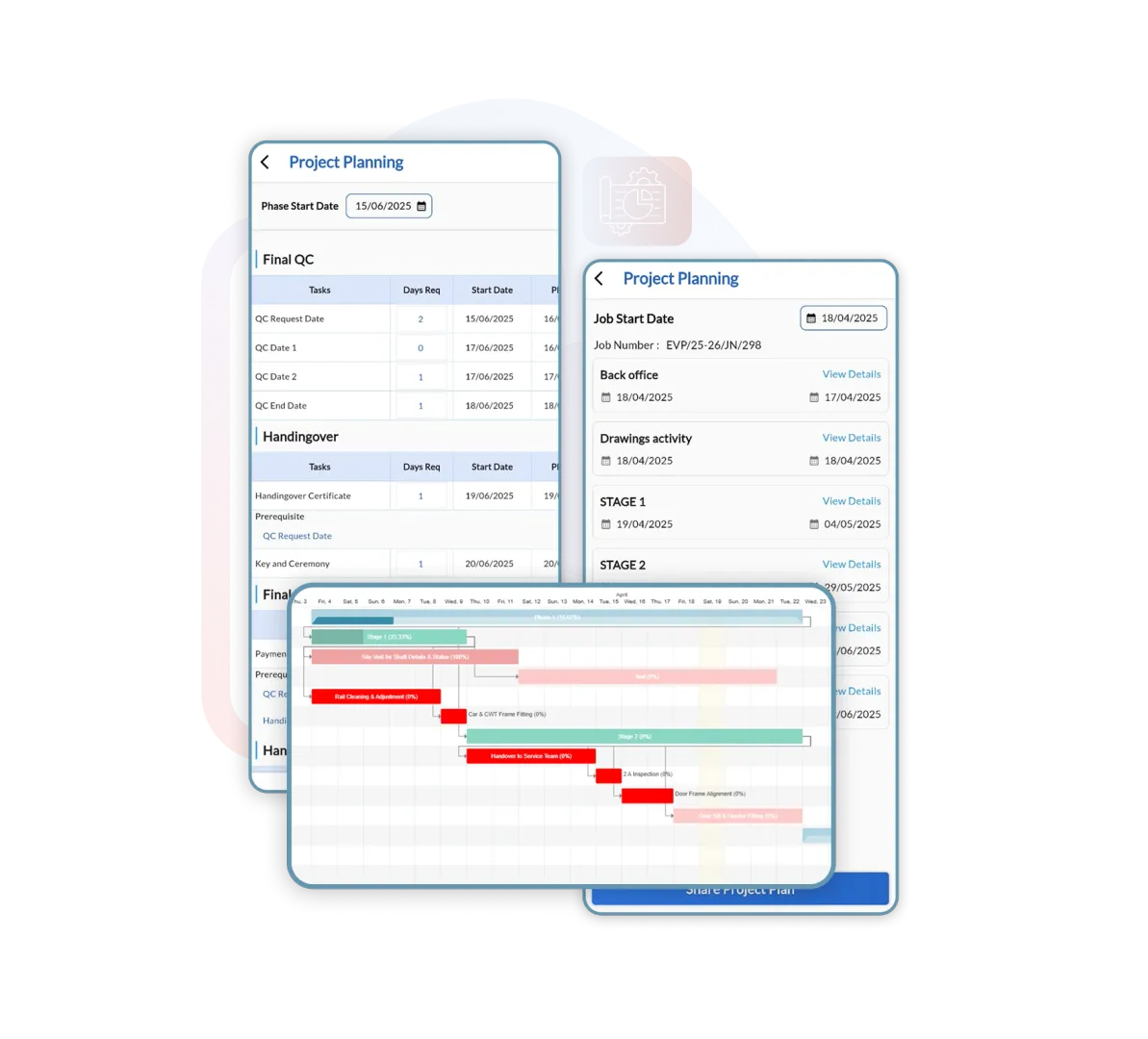
Imagine Managing 20 Projects with One Dashboard - Without Chasing Your Team
Most elevator companies manage projects through a mix of phone calls, WhatsApp groups, and spreadsheets. The result is missed deadlines, lost documentation, and unhappy clients. ElevatorPlus gives every project a structured home - with real-time progress tracking, assigned tasks, inspection records, and auto-generated documentation that keeps everyone on the same page.
 Plan Dates vs Actual Progress
From Deadline Panic to Predictable Deliveries - that is what ElevatorPlus makes possible.
How ElevatorPlus Project Management Works
01
Create the Project
Enter project name, client, site address, elevator type, and estimated completion date. Assign the project manager and field team in minutes.
02
Set Milestones
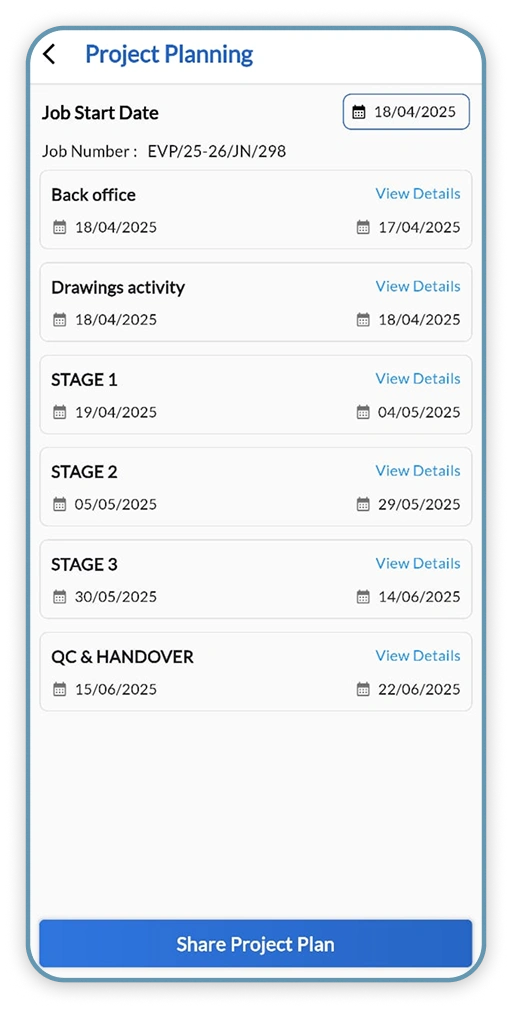
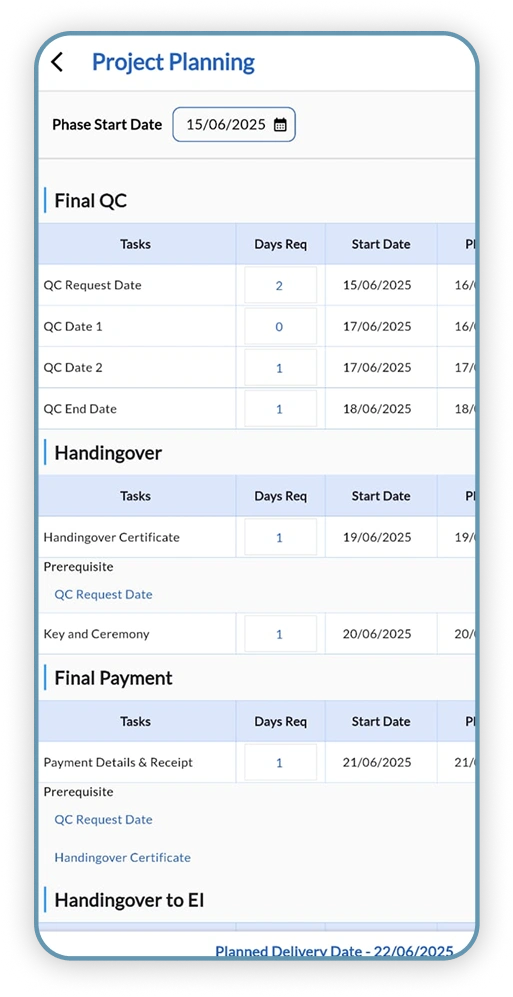
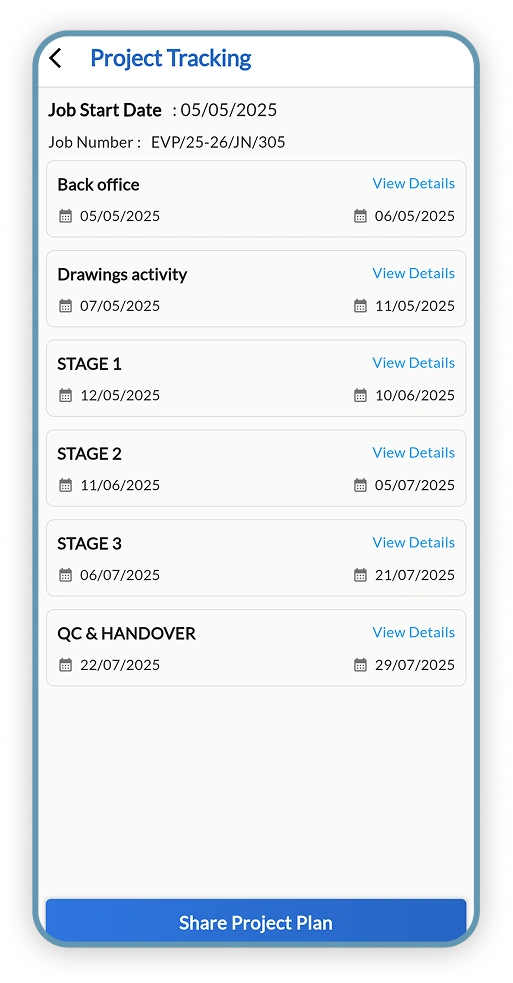
Define installation phases with planned dates. ElevatorPlus displays them in a GANTT chart and tracks actual vs planned progress throughout the project lifecycle.
03
Assign Daily Tasks
Distribute tasks to field technicians from the dashboard. Each team member receives task notifications on their mobile app with clear instructions and deadlines.
04
Track Progress in Real Time
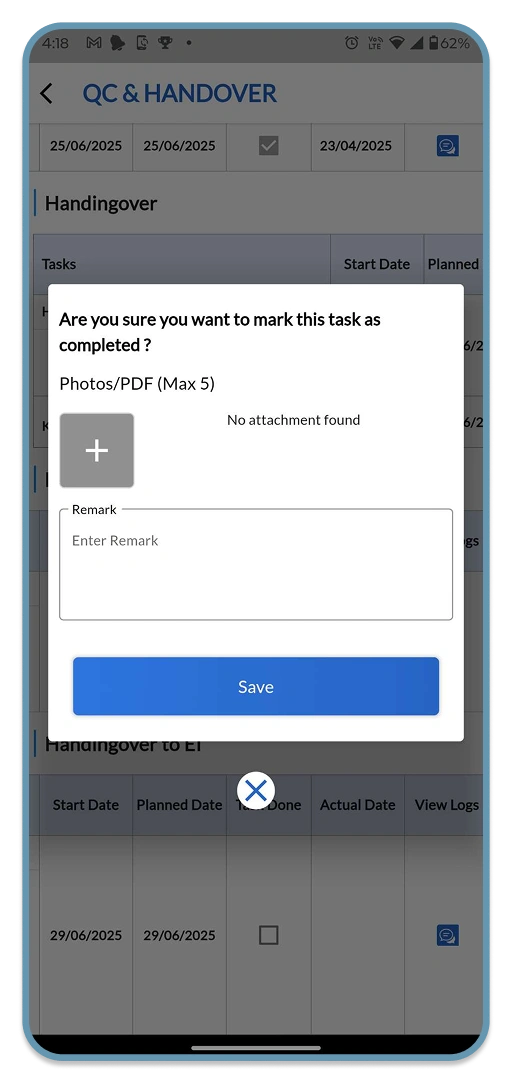
Technicians submit site updates, photos, and completion remarks from the field. You see live progress without making a single phone call.
05
Conduct Digital Inspections
Record site inspections digitally - including checklists, test results, and photographic evidence. All data is stored against the project for compliance and audit trails.
06
Generate Handover Documents
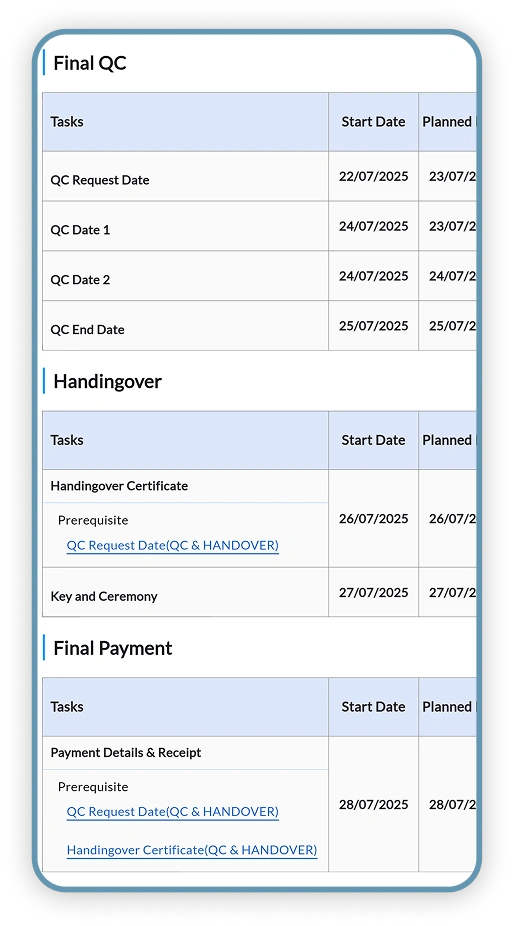
At project completion, generate a professional handover letter with installation details, test results, and client sign-off - automatically, no manual document creation needed.
Who Uses Project Management in ElevatorPlus
Business Owner
Reviews the live project portfolio without making a single phone call. Sees at a glance which sites are on track, which are delayed, and where intervention is needed. Uses delivery performance data to hold project managers accountable and demonstrate professionalism to clients.
Operations Manager
Assigns project teams, sets milestone dates, and monitors plan vs actual progress across every active installation. Receives automatic escalation alerts when deadlines slip so corrective action can be taken before a delay becomes a client complaint.
Technician
Receives task assignments on the mobile app with clear instructions and deadlines. Submits site updates, photos, and inspection results directly from the job site - no paper forms, no check-in calls, just a clear task list and the ability to update progress from any smartphone.
See How Elevator Companies Are Completing Projects 2X Faster with ElevatorPlus
Old Way vs. New Way: Project Management
From Construction Site Confusion to Smooth, Stress-Free Project Delivery.
| Factor | Old Way (Before ElevatorPlus) 
|
New Way (With ElevatorPlus)  |
|---|---|---|
| Project Updates | Phone calls, WhatsApp, or memory-based reports | Real-time site photos and field remarks in the dashboard |
| Progress Tracking | No clear tracking - surprises at the last moment | Visual GANTT chart with plan vs actual comparison |
| Delay Detection | Identified too late when damage is already done | Instant escalation alerts the moment a milestone is missed |
| Task Assignment | Verbal instructions - forgotten or misunderstood | Digital task cards with deadlines and mobile notifications |
| Inspection Records | Paper files - lost or misplaced documents | Digital inspections stored against the project, retrievable anytime |
| Handover Documentation | Manual checklists, prone to errors and omissions | Auto-generated handover letters at project close |
| Project History | Scattered across emails and physical files | Complete timeline stored in the project record permanently |
ElevatorPlus Project Management - By the Numbers
2X
Faster Project Delivery
45%
Less Time on Documentation
30-40%
Reduction in Management Overhead
200+
Elevator Companies
Why ElevatorPlus?
ElevatorPlus project management is built specifically for elevator installation and service companies - not a generic tool retrofitted for the industry.
- ✅ GANTT Chart Tracking - visual plan vs actual for every project phase
- ✅ Faster Site Execution - technicians get task notifications on mobile
- ✅ Professional Documentation - handover letters that build client trust
- ✅ Save 30-40% Management Time - fewer calls, fewer follow-ups
- ✅ Instant Delay Alerts - act before a delay becomes a crisis
- ✅ Complete Project History - every update, photo, and inspection in one record
How Project Management Connects with the Rest of ElevatorPlus
Project Management shares data with other modules so nothing needs to be entered twice.
Frequently Asked Questions about Project Management
Q
Does ElevatorPlus work for elevator installation and modernization projects?
Yes. ElevatorPlus supports all project types - new installation, modernization, refurbishment, and replacement. Each project can be configured with its own phase milestones, inspection checklists, and handover document templates to match your company’s workflow.
Q
Can I track multiple projects at the same time?
Absolutely. The project dashboard shows all active projects in a single view. You can filter by status, client, assigned team, or delay risk to focus on what needs attention. Switching between projects takes one click, with no loss of context.
Q
What happens when a project runs behind schedule?
ElevatorPlus detects plan vs actual gaps automatically. When a milestone is missed, the system sends instant escalation alerts to the project manager and designated stakeholders so corrective action can be taken before the delay compounds into a larger problem.
Q
How does ElevatorPlus handle project documentation?
All inspection records, site photos, team remarks, and client communications are stored against the project record. At project close, the system auto-generates a complete handover letter including installation details, test results, and client sign-off - with no manual document creation required.
Q
Is there a mobile app for field technicians?
Yes. ElevatorPlus includes a mobile app where technicians receive task assignments, submit site updates with photos, log inspection results, and collect client signatures - without needing to return to the office or make phone calls to the manager.

Ready to Deliver Every Elevator
Project Like a Pro?
 www.elevatorplus.app
 hello@elevatorplus.app