Handle Every Elevator Breakdown Faster with Breakdown Management Software.
ElevatorPlus replaces manual phone calls and paper logs with instant QR code breakdown reporting, automatic technician dispatch, and real-time status updates for clients. Reduce elevator downtime, protect SLA commitments, and build a reputation for fast, reliable service.
Experience Now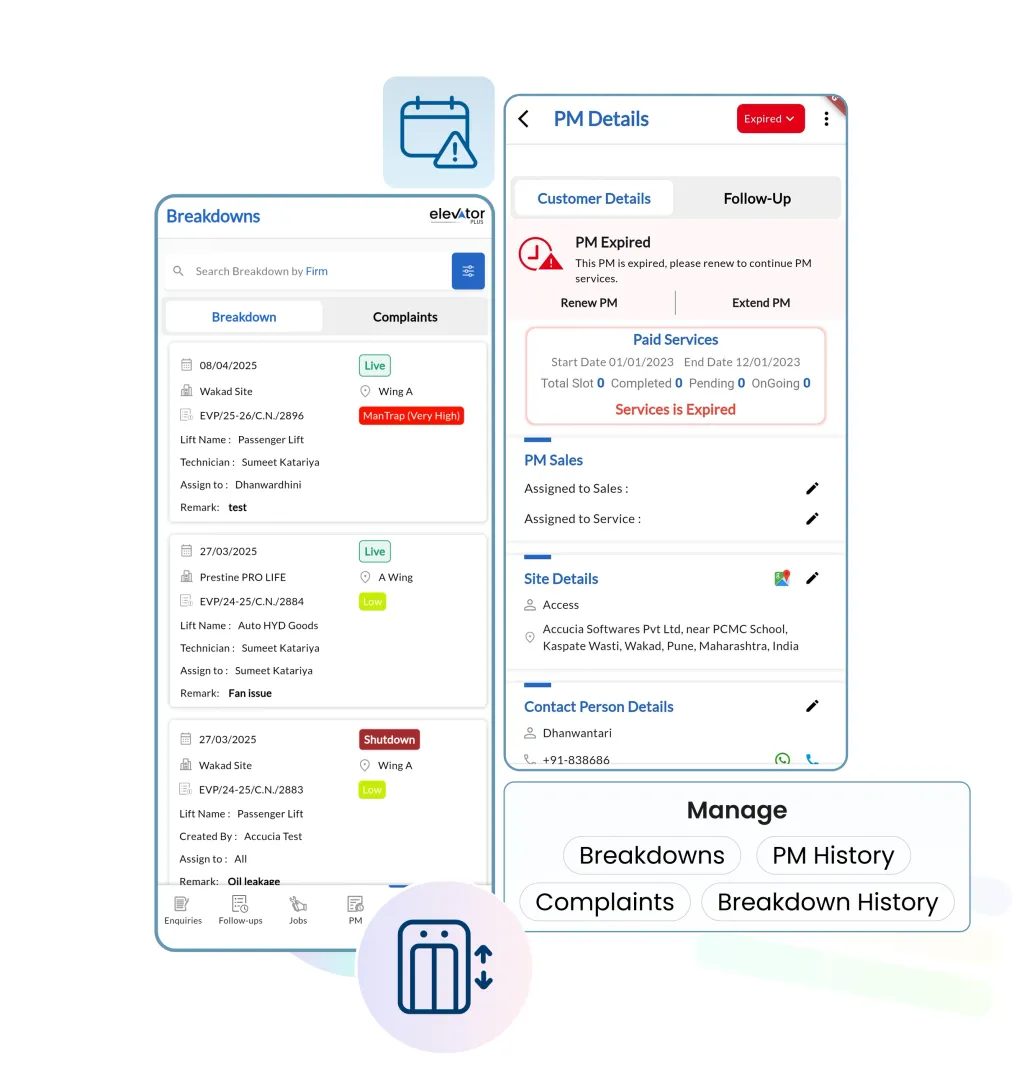
Stop Managing Elevator Breakdowns with Phone Calls and Paper Logs
Every hour an elevator is down costs your client money and costs you reputation. The old way - waiting for a call, manually finding a free technician, scribbling the job on paper - adds delays that are entirely avoidable. ElevatorPlus automates every step from breakdown report to resolution: instant logging, auto-dispatch, real-time client updates, and a permanent digital record of every fault and fix.
 QR Code Breakdown Reporting
From Complaints to Compliments - ElevatorPlus closes the gap.
How Breakdown Management Works in ElevatorPlus
01
Report via QR Code or App
Clients or building staff scan a QR code on the elevator panel or submit a breakdown via the app. The request is logged in seconds with location, elevator ID, fault description, and priority.
02
Auto-Assign to Technician
ElevatorPlus identifies the nearest available technician and auto-assigns the breakdown job. The technician receives an instant notification with full job details on their mobile app.
03
Dispatch & Track in Real Time
The technician confirms the job and updates their ETA. The client and coordinator receive real-time status notifications at every stage - no more ‘where is the technician?’ calls.
04
Diagnose & Log the Repair
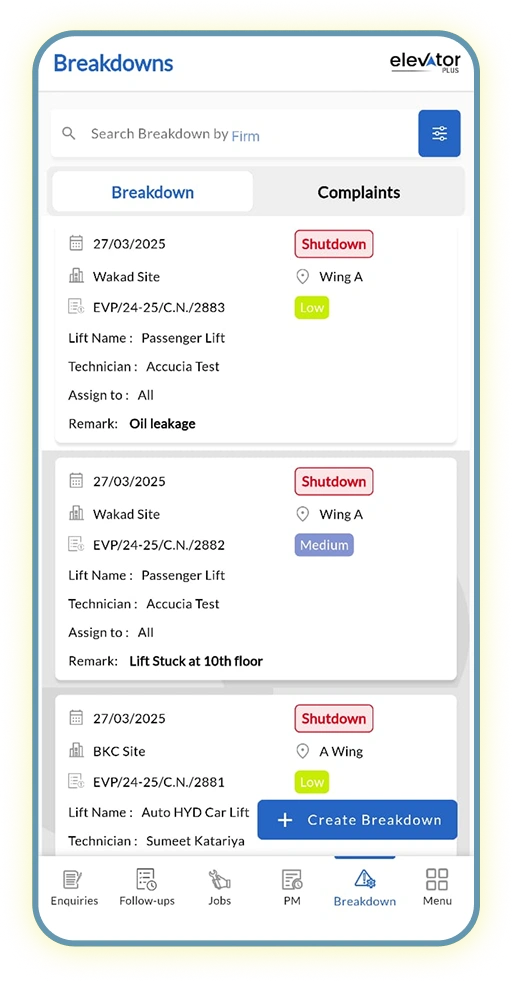
On-site, the technician logs the fault type, parts used, work performed, and resolution photos - all captured digitally from the mobile app, with a timestamp at each step.
05
Generate Breakdown Report
After resolution, ElevatorPlus automatically generates a detailed breakdown report including root cause, repair performed, parts replaced, technician name, and total downtime.
06
Analyse & Prevent
Use historical breakdown data by elevator, building, and fault type to identify recurring issues. Feed insights into your preventive maintenance schedule before the next failure occurs.
Who Uses Breakdown Management in ElevatorPlus
Business Owner
Monitors SLA compliance rates, average response times, and repeat fault frequency across all client sites without needing to call anyone. Uses breakdown analytics to identify which elevators are costing the most in reactive time and to decide where preventive maintenance investment is needed.
Operations Manager
Coordinates technician dispatch from the dashboard, tracks open jobs in real time, and confirms client communications are going out at every milestone. Reviews breakdown reports after closure to ensure the fault record is complete and SLA timers are accurate.
Technician
Receives instant job notifications on the mobile app with elevator ID, location, fault description, and priority. Logs diagnosis, repair work, and parts used from site. Submits the completed breakdown report with photos and timestamps without returning to the office.
Breakdowns Don’t Wait - Neither Should You
Old Way vs. New Way: Breakdown Management
From Complaints to Compliments - Fix Issues Before They Damage Your Reputation.
| Factor | Old Way (Before ElevatorPlus) 
|
New Way (With ElevatorPlus)  |
|---|---|---|
| Breakdown Reporting | Manual calls, paper logs, or WhatsApp messages | QR code scan or app entry - logged in seconds |
| Technician Dispatch | Manual calls to find an available technician | Auto-assigned to nearest available technician instantly |
| Client Communication | No updates - client calls repeatedly to check status | Real-time status notifications at every job milestone |
| Repair Documentation | Paper job cards, often incomplete or lost | Digital fault log with photos, parts, and timestamps |
| SLA Compliance | No tracking - breaches discovered after the fact | SLA timers active from first report - alerts before breach |
| Breakdown Reports | Manual paperwork - time-consuming and error-prone | Auto-generated breakdown report at job close |
| Breakdown Analytics | None - no data to prevent repeat failures | Smart analytics by elevator, fault type, and frequency |
Real Business Impact with ElevatorPlus Breakdown Management
50%
Faster Elevator Recovery Time
60%
Higher Client Satisfaction Scores
45%
Reduction in Breakdown Recurrence
2X
Faster Technician First Response
Why ElevatorPlus?
ElevatorPlus is built specifically for elevator service companies that want to turn every breakdown into a demonstration of professionalism - not a source of complaints.
- ✅ 50% Faster Elevator Recovery Time
- ✅ 60% Higher Client Satisfaction Scores
- ✅ 45% Reduction in Breakdown Recurrence
- ✅ 2X Faster Technician First Response
- ✅ SLA Tracking Built In - alerts before you breach a commitment
- ✅ Complete Fault History - never lose a breakdown record again
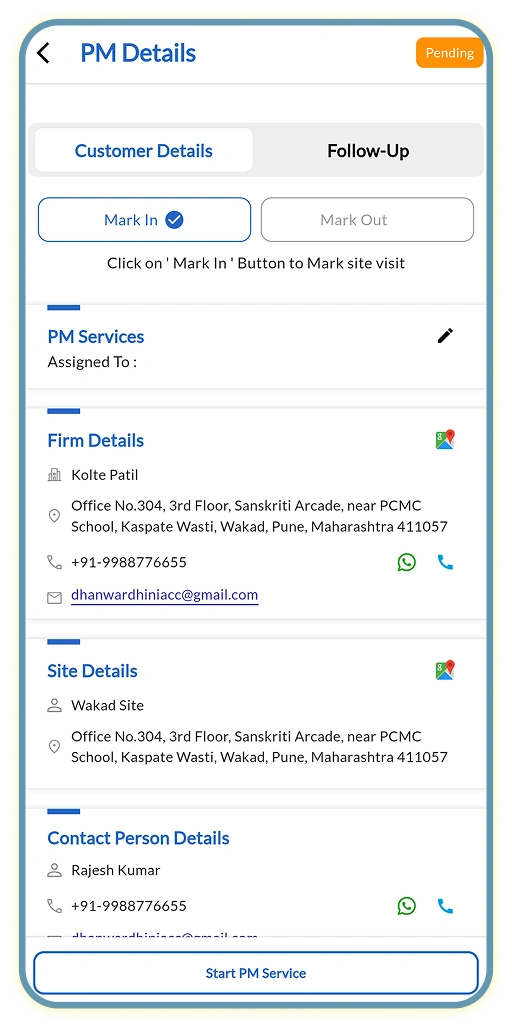
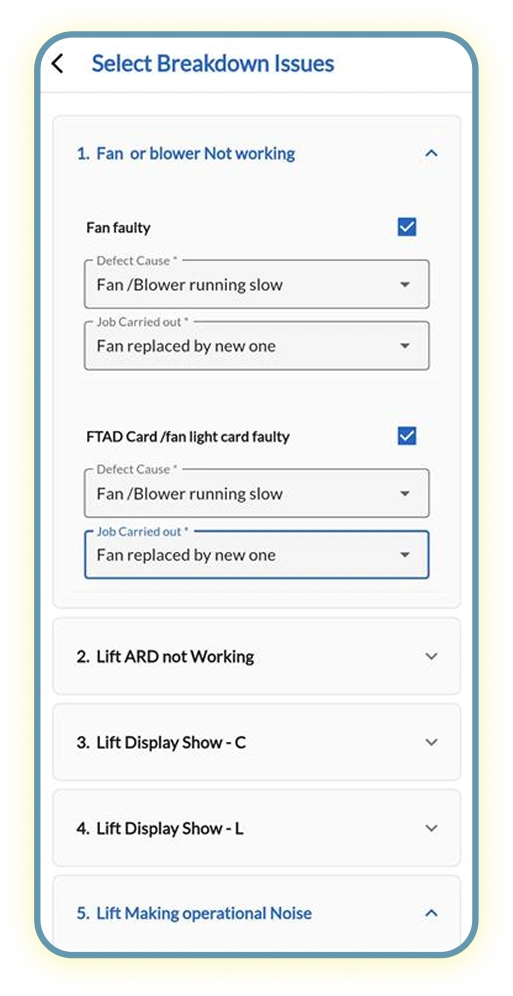
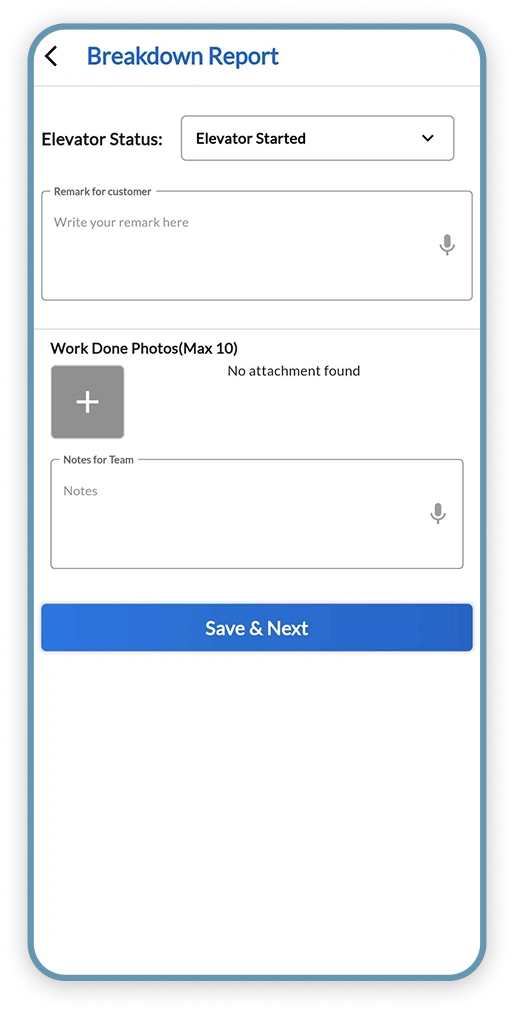
How Breakdown Management Connects with the Rest of ElevatorPlus
Breakdown data flows into the modules your team already uses - no duplicate entry.
Frequently Asked Questions about Breakdown Management
Q
How do clients report elevator breakdowns using ElevatorPlus?
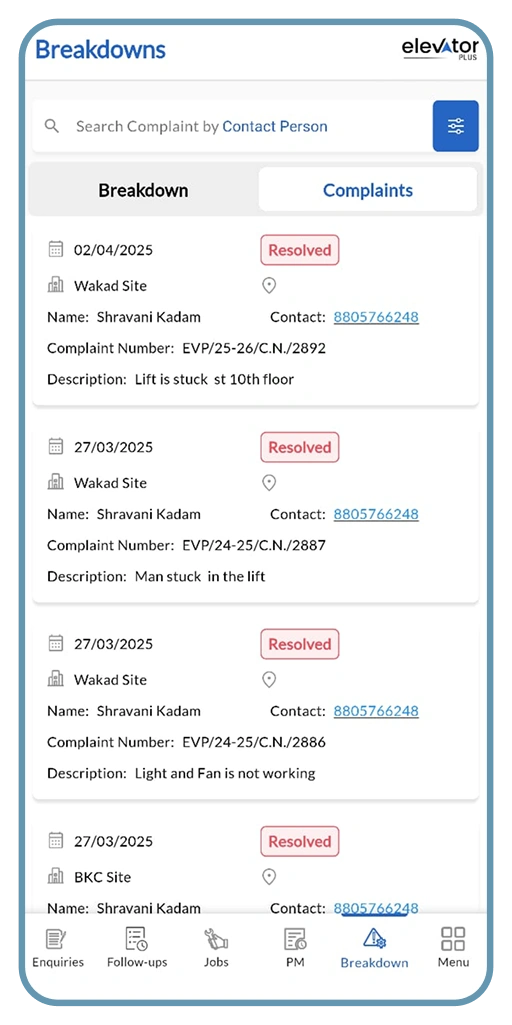
Clients can report breakdowns via a QR code pasted on the elevator panel, through a WhatsApp message, or via the client portal. Each report is automatically logged with a timestamp, elevator ID, and priority level. No phone calls, no paper forms, and no risk of the report being missed.
Q
How fast can a technician be dispatched after a breakdown is reported?
Typically within 2 to 5 minutes. ElevatorPlus automatically identifies the nearest available technician, sends the job notification, and tracks confirmation in real time. Clients report a 2X improvement in first-response time compared to their previous manual dispatch process.
Q
Does ElevatorPlus track breakdown history for each elevator unit?
Yes. Every breakdown is logged against the specific elevator with full details - fault type, technician, parts used, time to resolution, and client feedback. This history is available permanently and can be exported for compliance, insurance, or client reporting purposes.
Q
Can we set SLA targets for breakdown response times?
Yes. You can configure SLA rules by client, elevator type, or contract tier. ElevatorPlus tracks response time from the first report and flags potential SLA breaches before they occur, so your team can act before a contractual obligation is missed.
Q
How does ElevatorPlus help reduce repeat breakdowns?
The system surfaces patterns in your breakdown data - elevators with the highest fault frequency, the most common fault types, and seasonal failure trends. These insights feed directly into your preventive maintenance schedule, allowing you to address root causes before they lead to repeat failures and client complaints.

Turn Every Breakdown into
a Business Growth Opportunity.
 www.elevatorplus.app
 hello@elevatorplus.app