
Automate Elevator Team Attendance without Manual Logs with Attendance Tracking Software.
ElevatorPlus records technician check-ins with GPS verification and timestamps in real time - so you know exactly who is on site, when they arrived, and how long they worked. Eliminate manual attendance registers and payroll disputes permanently.
Experience Now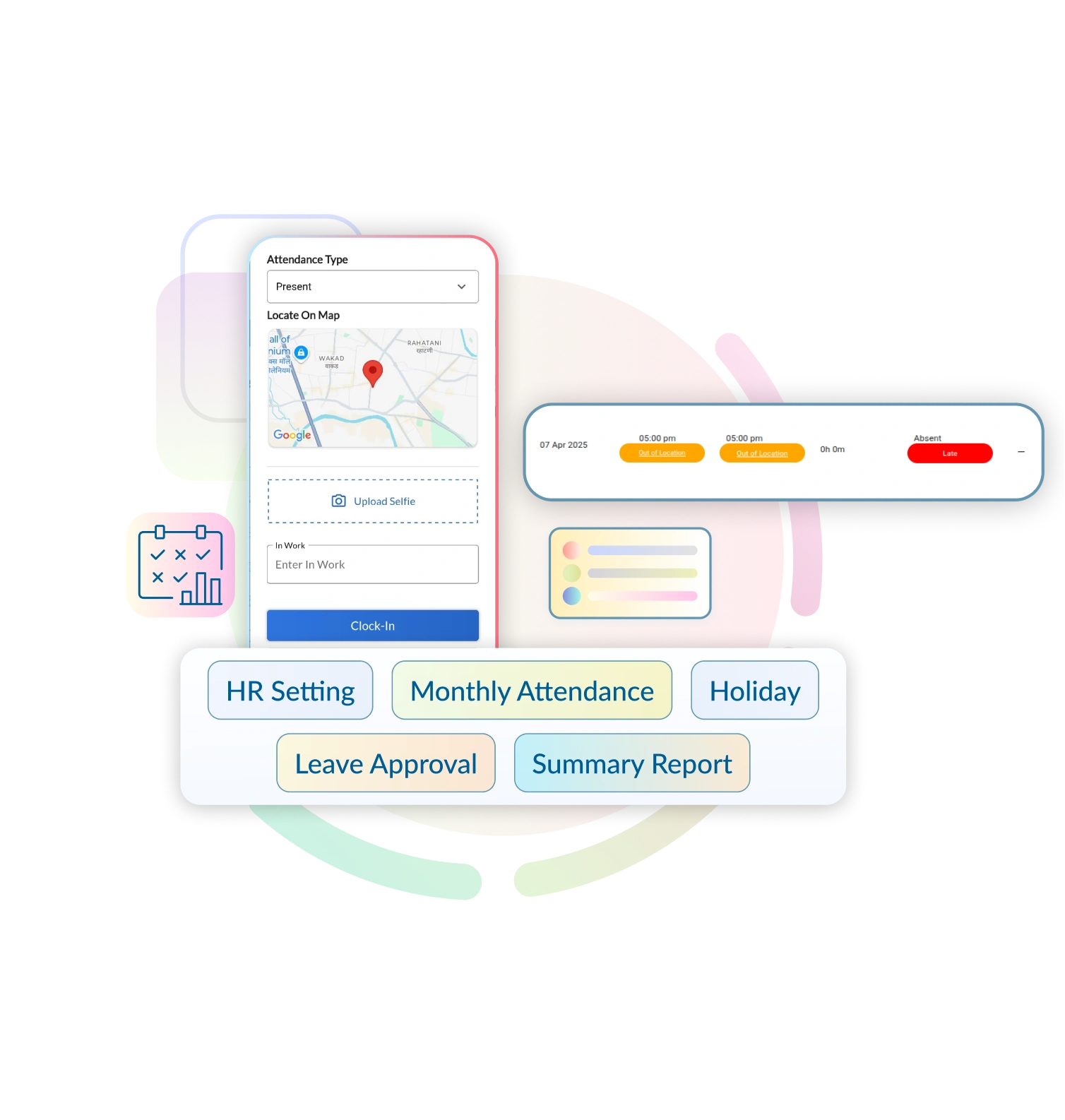
Real-Time, Foolproof Attendance Tracking for Your Field Teams
Managing field technicians without real-time attendance data means running your business on guesswork. Late arrivals go unnoticed, overtime is calculated wrong, and payroll disputes eat up hours every month. ElevatorPlus replaces paper registers, WhatsApp pings, and verbal updates with a single GPS-verified attendance system that works from any smartphone.
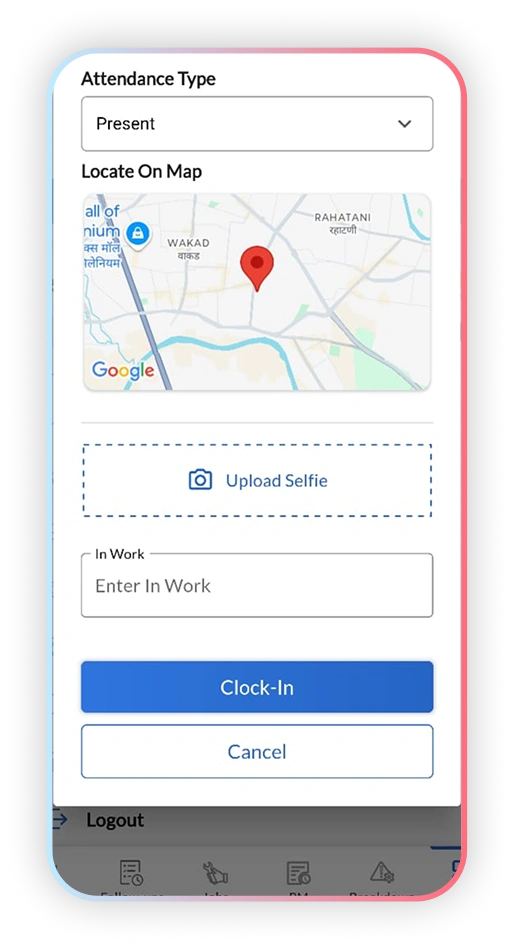
 Geo-Verified Punch In/Out
From Trust Issues to Total Transparency - with a single tap.
How Attendance Tracking Works in ElevatorPlus
01
Configure Your Team
Add technicians, set their working shifts, and define attendance rules including late arrival grace periods and overtime thresholds. Setup takes under 10 minutes.
02
Mobile GPS Punch-In
Technicians punch in from the ElevatorPlus mobile app. The system captures their GPS location and timestamp - preventing proxy attendance completely.
03
Track in Real Time
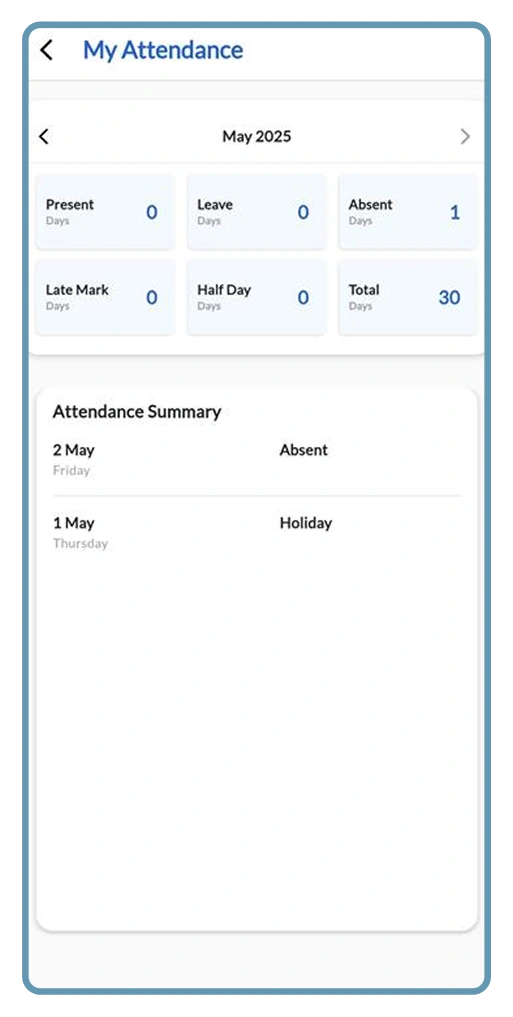
The attendance dashboard shows live status for every technician - who has punched in, who is running late, and who is still on a job site - from any device.
04
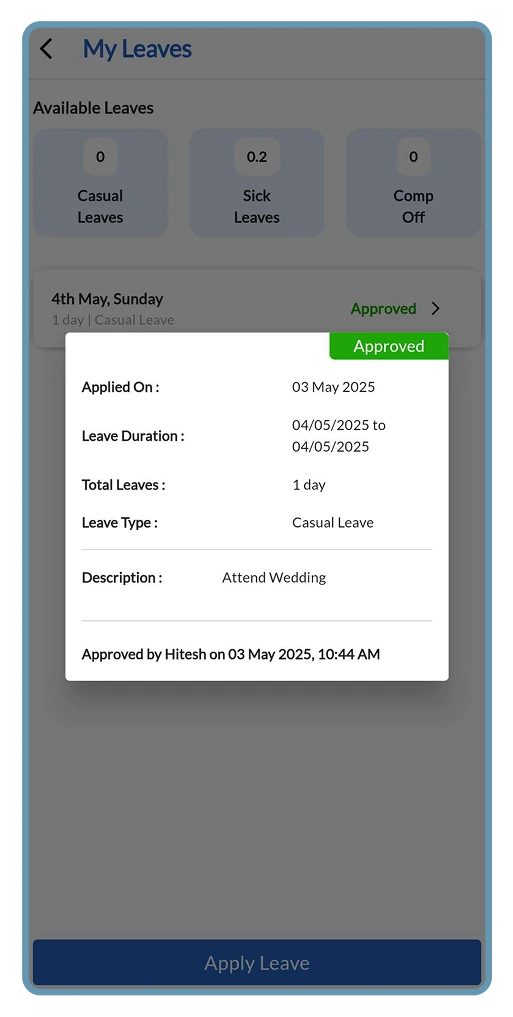
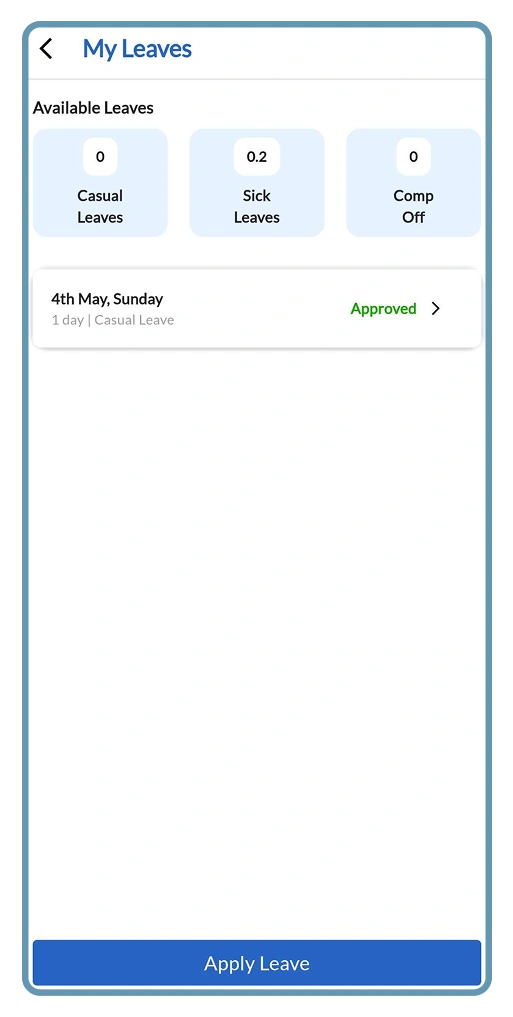
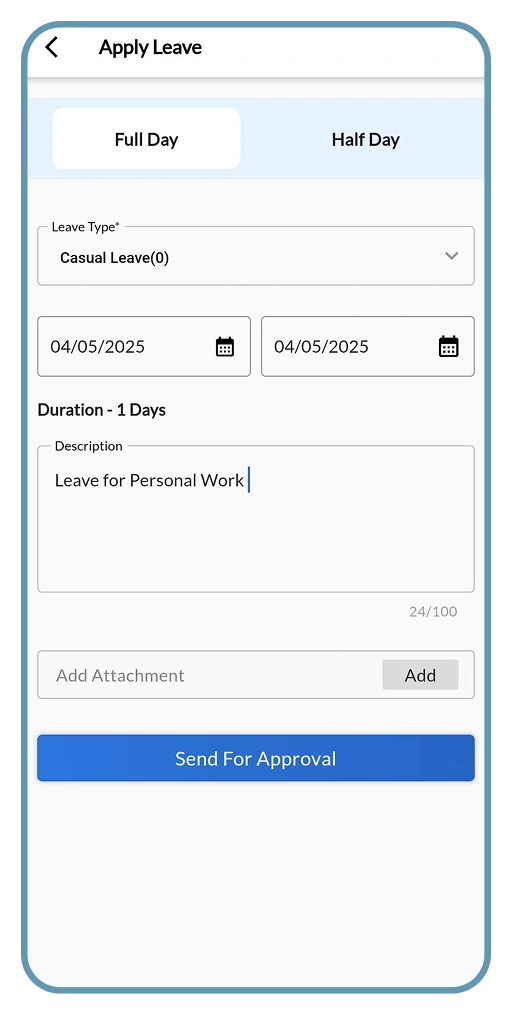
Apply for Leave
Technicians submit leave requests directly from the mobile app. Managers review and approve or reject with one tap. Leave balances update automatically.
05
Generate Attendance Reports
At end of each pay period, ElevatorPlus generates a complete report with hours worked, overtime, late arrivals, absences, and approved leaves - ready for payroll.
06
Sync with Payroll
Attendance data flows directly into your payroll calculations. Eliminate manual data entry between registers and salary sheets - and the disputes that come with it.
Who Uses Attendance Tracking in ElevatorPlus
Business Owner
Accesses payroll-ready attendance reports without manual data entry or HR follow-ups. Reviews overtime spend by team and period, compares site productivity, and resolves any payroll queries using GPS-verified records that cannot be disputed.
Operations Manager
Monitors live technician status from the dashboard - who is on site, who is running late, and who has not punched in. Approves or rejects leave requests with one tap. Manages shift schedules and resolves attendance discrepancies using GPS-verified records.
Technician
Punches in and out from the mobile app - no paper registers, no text messages to supervisors. Submits leave requests digitally and receives approval notifications immediately. Can review their own attendance history and remaining leave balance from the same app.
See How ElevatorPlus Ends Attendance Excuses Forever
Old Way vs. New Way: Attendance Tracking
From Punching Attendance to Faking Attendance - Say Goodbye to the Drama.
| Factor | Old Way (Before ElevatorPlus) 
|
New Way (With ElevatorPlus)  |
|---|---|---|
| Punch-In Method | Paper registers or verbal updates | GPS-verified mobile check-in from any smartphone |
| Identity Verification | No verification - anyone can sign for anyone | GPS location stamp prevents proxy attendance |
| Payroll Calculation | Manual calculations prone to errors and disputes | Auto-generated accurate reports synced to payroll |
| Attendance Visibility | Manager’s word or end-of-day report | Real-time dashboard with live technician status |
| Leave Tracking | Separate sheets or repeated HR follow-ups | Integrated leave application with auto balance tracking |
| Overtime Management | Disputed claims, no accurate records | Automatic overtime calculation from punch records |
| Payroll Disputes | Common - no single source of truth | Zero disputes - data-backed records for every day |
Real Impact on Elevator Companies Using ElevatorPlus
100%
Accurate Attendance Records
0
Fake Punch-Ins with GPS Verification
80%
Reduction in Payroll Calculation Time
30 min
Average Setup Time for Your Entire Team
Why ElevatorPlus?
ElevatorPlus replaces attendance guesswork with GPS-backed data that your payroll team, HR, and technicians can all trust.
- ✅ Zero Fake Attendance - GPS location verified at every punch-in
- ✅ Live Dashboard - see every technician’s status in real time
- ✅ Automatic Overtime Calculation - no more manual totalling
- ✅ Leave Management Built In - requests, approvals, and balances in one place
- ✅ Payroll-Ready Reports - export in one click, no re-entry needed
- ✅ No Additional Hardware - works on any Android or iOS smartphone
How Attendance Tracking Connects with the Rest of ElevatorPlus
Attendance data feeds directly into the modules that depend on knowing who is available and where.
Frequently Asked Questions about Attendance Tracking
Q
How does ElevatorPlus prevent proxy attendance (buddy punching)?
ElevatorPlus uses GPS location verification at the moment of punch-in. The system records the exact GPS coordinates of the technician’s device, which managers can review in real time. If a technician punches in from a location that does not match their assigned site, the record is automatically flagged for review.
Q
Can attendance tracking work in areas with poor mobile network coverage?
Yes. The ElevatorPlus mobile app stores attendance data locally when there is no network connection and syncs automatically once connectivity is restored. Field technicians working in basements or remote locations will not lose their punch records.
Q
Does ElevatorPlus support different shift timings for different teams?
Yes. You can configure multiple shift patterns - day shift, night shift, rotating shifts, or site-specific hours. Each technician or team can be assigned a different shift schedule with its own attendance rules and overtime thresholds. Changes take effect immediately.
Q
How does the leave management feature work?
Technicians submit leave requests through the mobile app with the leave type (casual, sick, or earned) and the date range required. The manager receives an instant notification and approves or rejects the request from their dashboard. Approved leaves are reflected in attendance reports and payroll calculations automatically.
Q
Can I see which technicians are on site right now?
Yes. The live attendance dashboard shows the real-time punch-in status of every technician in your team. You can filter by site, shift, or team and see at a glance who is present, who is late, and who is yet to check in for the day.

Ready to Build a
High-Trust, High-Performance Team?
 www.elevatorplus.app
 hello@elevatorplus.app