
30+ Moments Where ElevatorPlus Talks to Your Customers
— So You Don't Have To

Automated WhatsApp and Email triggers across the entire elevator service lifecycle. Every customer interaction, on time, every time — without a single manual message.
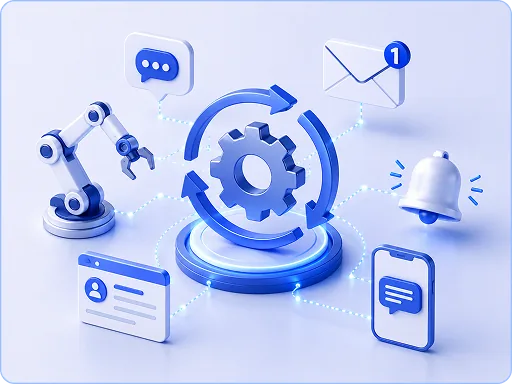
ElevatorPlus Automation & Communication

Powering Elevator Businesses Worldwide

Trusted by Fastest-Growing Elevator Companies

What's Happening When You Don't Automate

Client calls asking if the technician is coming — 15 minutes gone

AMC expired 3 months ago — nobody noticed — renewal revenue missed entirely

PM was completed but client never got a report — they assume it wasn't done

Breakdown ticket was raised but client got no acknowledgment — they call again, now frustrated

Payment due for 60 days — no reminder was sent — cash flow strained

Your Brand. Your Message. Your Language.

Send via: WhatsApp Official API, Email, or both

Message templates: fully customizable per trigger

Attach PDFs: service reports, receipts, certificates, quotations

Multi-language: send in client's preferred language (16 languages supported)

Include links: review URL, payment link, live tracking link

Time-of-day scheduling: don't send at 2 AM — schedule triggers for business hours

Every Trigger. Every Touchpoint. Fully Configured.

  • Breakdown ticket received → Client gets acknowledgment with ticket number
  • Technician assigned to breakdown → Client gets technician name, photo, and ETA
  • Technician en route → Client gets live location link
  • Breakdown resolved → Client gets completion report PDF
  • Breakdown closed → Auto-trigger satisfaction rating request

  • AMC expiring in 30 days → Renewal reminder to client and account manager
  • AMC expiring in 15 days → Second reminder with renewal quote attached
  • AMC expiring in 7 days → Final reminder + escalation to branch manager
  • AMC expired → Grace period notice to client
  • PM service scheduled → Client notified of upcoming visit date
  • PM completed → Service completion report (PDF) sent to client + review link
  • PM overdue → Internal alert to operations team

  • New installation project created → Welcome confirmation to client
  • Project milestone reached → Progress update to client with photos
  • Project delayed (client-scope) → Professional delay notice sent to client explaining reason
  • Project handover ready → Handover appointment request to client
  • Handover completed → Handover certificate sent + satisfaction survey

  • New lead received → Auto-acknowledgment to prospect
  • Quotation sent → Follow-up reminder schedule initiated
  • Quotation approved → Contract sent for digital signature
  • Contract signed → Welcome onboarding message sent

  • Invoice generated → Payment link sent to client
  • Payment due in 7 days → Friendly reminder
  • Payment overdue → Escalating reminders (7, 15, 30 days)
  • Payment received → Instant receipt sent to client

  • Any form completion → Custom message with custom template
  • Any status change → Configurable notification to configurable recipient

What 30 Triggers Saves Your Team Every Month

Manual communication isn't just prone to error—it's expensive. By automating routine touchpoints, your team reclaims hundreds of hours to focus on complex problem-solving and proactive client relationship building.

If each trigger replaces 1 manual call/message
= 30 touchpoints × N clients = X hours saved

Calculate Your Automation Savings

MONTHLY IMPACT ESTIMATE

800 hours saved

= significant team cost recovered

Automated Touchpoints 200 clients × 30 triggers/year
6,000
Average Follow-up Call Time Reclaimed per instance
8 mins

See All 30+ Triggers in Action

Book a demo — we'll show you how to set up your first 10 automation triggers in under an hour.

Book a Demo